

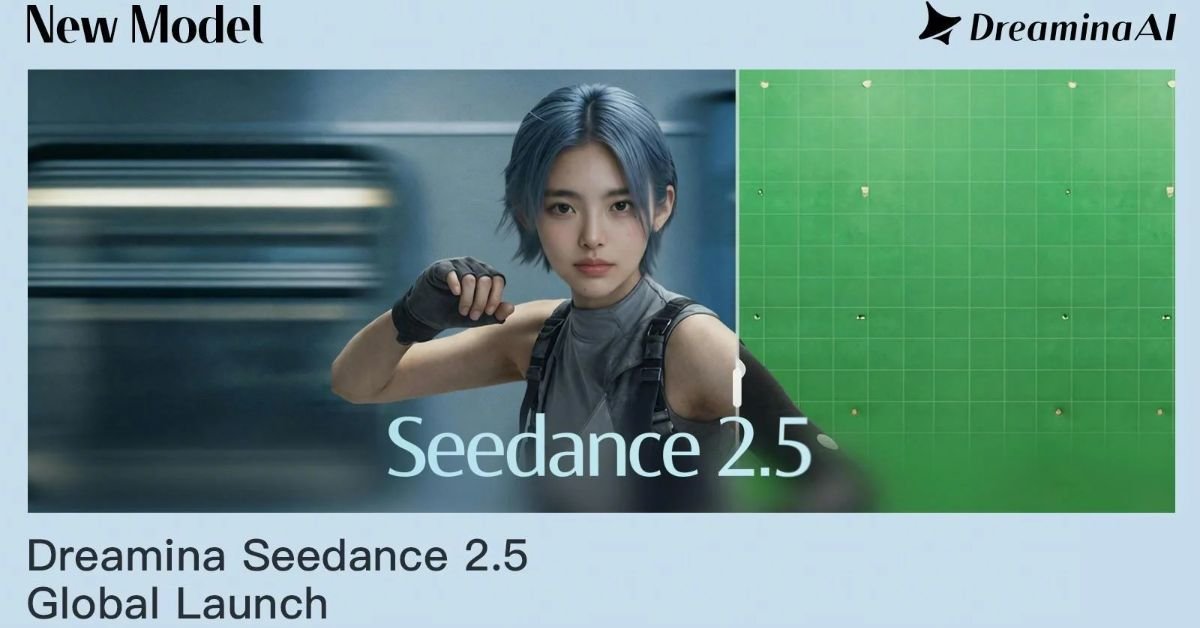
A video can contain several impressive moments and still feel incomplete when those moments do not belong together. A character may look different between scenes, the lighting may suddenly change, or the movement from one shot to another may feel unnatural. These issues become especially noticeable when a creator is trying to tell a connected story rather than produce a collection of unrelated clips. Seedance 2.5 offers features designed to give creators more control over this process. It is an advanced video creation model that combines visual and audio generation with reference-based guidance and editing capabilities. As an ai video generator, it can help turn an idea into a more connected sequence, giving creators additional ways to guide how scenes, subjects, and sounds appear throughout a video.
Think About Continuity Before Writing the Prompt
Continuity means that the important details of a video remain consistent as the story develops. It includes more than keeping a character’s appearance unchanged. The setting, lighting, clothing, objects, atmosphere, and direction of movement can all influence whether different moments feel like parts of the same production. Consider a short story about a traveler arriving at an unfamiliar town. The opening might show the traveler approaching a station, followed by a street scene and an interior conversation. If the character’s clothing or general appearance changes unexpectedly, viewers may feel that the scenes are disconnected.
Before generating anything with Dreamina, creators should decide which details need to remain stable and which are allowed to change. A short description of the character, environment, visual style, and sequence of events can provide a useful foundation. This preparation makes creative instructions more specific and reduces unnecessary experimentation.
Give the Model More Than a Written Description
Some creative ideas are difficult to explain through text alone. A written prompt may describe a character, but a reference image can communicate facial appearance, clothing, colors, and visual proportions more clearly. Similarly, an example video can demonstrate the type of movement or camera behavior a creator has in mind. Seedance 2.5 supports multimodal reference inputs, allowing creators to combine text with images, video clips, and audio materials. According to its official specifications, a single generation can use up to 30 images, 10 video clips, and 10 audio clips as references. This gives creators more room to provide context for complex visual ideas.
For example, someone developing an animated sequence could provide character designs, environment references, and an audio sample to help establish the intended atmosphere. Each reference should have a clear purpose. Adding unrelated materials can make the creative direction harder to communicate rather than improving it.
Plan the Story Around Meaningful Changes
A multi-scene video should develop naturally. Every new shot needs to contribute something, whether it introduces a location, reveals information, changes the mood, or moves the action forward. One practical approach is to divide the story into a few visual stages:
- Introduction: Establish the main subject and location.
- Development: Show an action, discovery, or interaction.
- Transition: Move the story into a new situation.
- Resolution: Provide a clear ending or final visual moment.
This does not mean every video needs a traditional beginning, middle, and ending. A music sequence, visual advertisement, or experimental short film may follow a different structure. The important thing is that viewers can understand how one moment relates to the next. Seedance 2.5 supports video generation of up to 30 seconds in a single request, with options for further extensions. That duration can provide more room for connected actions and scene changes than a very short clip. However, a longer generation does not automatically create a stronger story. The sequence still needs a clear purpose and suitable pacing.
Use Audio as Part of the Visual Experience
Sound can influence how viewers interpret a scene. Footsteps may make a location feel occupied, background music can establish an atmosphere, and dialogue can explain an important moment without requiring lengthy text on screen. Creators should therefore consider audio during the planning stage rather than treating it as an afterthought. Think about whether a scene needs spoken dialogue, environmental sounds, music, or silence. The choice should support the mood and action.
Seedance 2.5 includes audio-video generation and accepts audio references as part of its multimodal workflow. These capabilities can help creators communicate the intended sound direction alongside visual instructions. Even so, generated dialogue, timing, and background audio should be checked carefully. A technically complete video may still feel awkward if the sound does not match what is happening on screen.
Make Targeted Changes Instead of Rebuilding Everything
The first generated version of a video is rarely the final version. A scene might have the right composition but an unsuitable background, or the overall sequence may work while one particular moment needs adjustment. Seedance 2.5 includes editing capabilities that support targeted changes through timestamp-based instructions. This can help creators focus on a particular part of a video rather than treating the entire result as something that must be recreated. Its reference-based editing options also provide additional ways to guide revisions.
A sensible editing process begins by identifying the exact problem. Is the camera movement distracting? Does an object appear incorrectly? Is a transition too abrupt? Clear observations make revision requests more useful than simply asking for a scene to look better. After every change, review the surrounding moments as well. An adjustment that improves one frame or action might affect the visual relationship with the next scene. Continuity should always be considered across the full sequence.
Review the Result Before Calling It Finished
AI-generated video still requires creative judgment. When reviewing a result from an ai video generator, watch the complete video and pay attention to details that may be easy to miss when reviewing individual shots. Check whether characters remain recognizable, movements look believable, and the audio fits the action. Also consider the intended viewing platform. A video designed for a vertical mobile feed may need a different composition from one intended for a widescreen presentation. Important subjects should remain visible, and any text should be readable on the target screen.
It is equally important to review factual and commercial details. If a video includes a real product, logo, location, or identifiable person, confirm that the generated result represents them accurately and that you have the necessary rights to use reference materials.

Conclusion
Seedance 2.5 provides creators with a more flexible approach to developing connected video sequences. Its longer generation duration, multimodal references, audio support, and targeted editing features can help bring separate creative elements into a more coherent production. However, consistent results depend on more than the technology itself. A clear story, relevant references, thoughtful sound choices, and careful review remain essential. When creators plan these elements together, an AI video generator becomes a useful part of the creative process rather than simply a way to produce moving images.
FAQs
What makes Seedance 2.5 different from a basic video generation tool?
It combines video generation with multimodal references, audio-video creation, and editing capabilities. These features give creators more ways to guide and refine a video project.
Can Seedance 2.5 generate a video with multiple scenes?
Yes. It supports connected storytelling within a generation of up to 30 seconds. The model can organize different shots and scene changes, although the quality of the result depends on the instructions and references provided.
Why are reference images useful when creating AI videos?
Reference images communicate visual details that can be difficult to explain in writing. They can help establish a character’s appearance, a location, a product, or the overall visual direction.
Can I edit only one part of a generated video?
Seedance 2.5 supports targeted, timestamp-based editing. This allows creators to request changes to particular moments, although the revised video should still be reviewed for consistency with the surrounding scenes.
Is Seedance 2.5 suitable for beginners?
Beginners can explore it by starting with a simple idea and a small number of relevant references. More complex projects may require practice with story planning, detailed instructions, and reviewing generated results.