

A video can be well produced and still struggle to attract views. Before anyone watches the opening, they usually make a decision based on the title, thumbnail, and how relevant the video looks to them.
YouTube’s official creator guidance reports that 90% of its best-performing videos use custom thumbnails. The platform also reports that impressions click-through rates (CTR) vary widely, with roughly half of channels and videos falling between 2% and 10%. These figures are not guarantees of success, but they show why creators should pay attention to how their videos appear before playback.
A thumbnail cannot compensate for weak content, and a higher CTR does not automatically mean a video will receive more recommendations. YouTube considers how viewers respond after clicking, including watch time. A misleading thumbnail may attract attention but leave viewers disappointed, undermining the video’s longer-term performance.
The practical goal is to make the subject clear, give viewers an accurate idea of the content, and present the image in a format that works where it will be displayed.
Why One Image Can Fail Across Different Platforms
Creators often reuse footage and promotional images across YouTube, Instagram, TikTok, and other channels. Reusing the same source saves production time, but the original composition may not suit every placement.
A landscape thumbnail may include a person on one side and text on the other. When adapted to a vertical frame, the crop may remove the text or cut off part of the person. Stretching the image avoids those missing edges but distorts the proportions.
The problem becomes more noticeable when a design includes several elements, such as a face, product, headline, and logo. Each needs enough room to remain recognizable at the size viewers actually see.
Before editing, identify the destination and its requirements. Check the aspect ratio, resolution, and how the image appears in the relevant feed, profile grid, or full-screen view. Do not assume that a single export will display identically everywhere.
Four Ways to Adapt an Image Without Distorting It
The right method depends on what the original image already contains and what the new layout requires.
Resize: Keep the composition, change the dimensions
Resizing is suitable when the original aspect ratio already fits the destination. It changes the pixel dimensions without deliberately removing parts of the image. If you need a smaller file or a different output resolution, resizing may be all you need.
Crop: Remove what the new frame does not need
Cropping works when the subject remains clear after the edges are removed. It can simplify a busy image, but it is less suitable when the composition depends on several people, objects, or text positioned near the edges.
Add padding: Preserve the full image
Padding places the original image inside a larger canvas, with extra space filled by a solid color or background. It is useful when preserving every part of the original matters more than filling the entire frame. The trade-off is that the image itself may occupy less of the available space.
Expand the canvas: Create room beyond the original edges
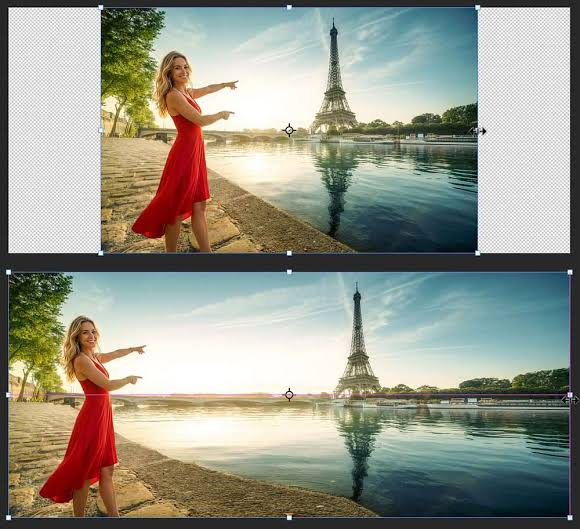
AI outpainting generates additional image content beyond the existing boundaries. It is useful when the subject is already framed tightly and cropping would make the composition worse. Rather than stretching the subject, the tool can extend surrounding elements such as a wall, sky, or studio background.
Expansion is not the right choice for every image. Generated details may not match the original lighting, perspective, or objects perfectly. Images with intricate patterns or precise product details may need manual editing or a different source image.
A Better Workflow for Repurposing Existing Images
Start with the highest-quality original available. A frame taken from the source video is generally a better starting point than a screenshot that has already been compressed. More original detail gives you greater flexibility when preparing different exports.
Next, decide what the new version needs to communicate. A tutorial thumbnail may need a recognizable software interface and a short title. A product cover may depend on the product’s shape and proportions. A portrait may need additional background space without changing the person’s appearance.
Choose the editing method based on that priority. If the subject already fits, resize the image. If unnecessary edges are taking up space, crop them. If the full photograph must remain visible, add padding. If the composition needs more background, consider expanding the canvas.
For a landscape image that needs to fit a vertical layout, cropping may remove important details or leave too little room around the subject. Instead, you can convert a landscape image to portrait format with AI, extending the background to fit the new aspect ratio while keeping the original subject in view. Review the generated areas before publishing to make sure they blend naturally with the source image.
Once the image is ready, preview it at the size viewers are likely to see. Check whether the main subject is recognizable, whether text remains readable, and whether important details are obscured by the platform’s interface.
Measure the Result Instead of Guessing
A cleaner-looking image is not automatically a better-performing thumbnail. To understand whether a change helps, compare the results using the metrics available on the platform.
For YouTube videos, start with impressions and CTR, paying attention to traffic sources and the period being compared. A change in CTR may reflect differences in the audience or where the thumbnail was shown, rather than the image alone. Avoid drawing conclusions from a handful of impressions.
YouTube’s built-in A/B testing feature allows eligible creators to compare up to three title and thumbnail options. The winning option is selected based on watch time share, not CTR alone. This is an important distinction: the purpose of a thumbnail is to attract the right viewers, not simply to generate clicks.
For other platforms, use the analytics they provide and compare similar posts where possible. Keep the topic and creative approach reasonably consistent so that differences are easier to interpret.
When Expanding the Canvas Makes Sense
Sometimes, the original image is already good enough; it simply does not leave enough room for the intended layout. An AI image expansion tool like Uncroply can help extend the canvas beyond the original image boundaries, giving creators more flexibility when adapting visuals for different platforms.
This approach is worth considering when a portrait needs more space above the subject, a product image needs a wider background, or a landscape shot must fit a vertical composition without losing important details.
The result should still be reviewed before use. AI-generated background details may need correction, especially around complex objects, text, or strong perspective lines. For important campaign visuals, compare the expanded version with the original and make sure the added space supports the design rather than distracting from it.
The best approach is to preserve what already works in the original image and change only what the new format requires. When creators can reuse strong source material without rebuilding every design from scratch, preparing platform-specific visuals becomes a more manageable part of the publishing process.